Thursday, December 12, 2013

How to use the correlation studio after creating correlation file in Load runner?

To use correlation Studio go to Vugen-Tools-Recording Options-Http properties-Correlation then click on Import button as shown in below image.

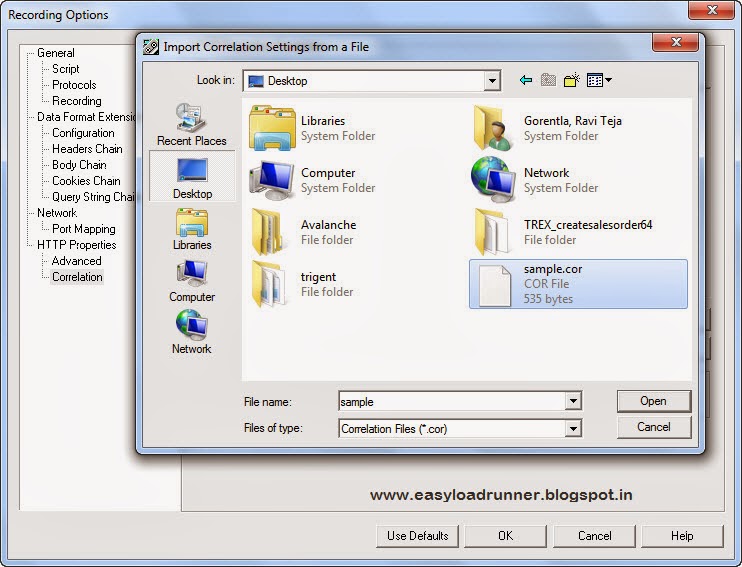
And import the saved *.cor file (In our case it is sample.cor)


Click on Open button, Start recording your script and you will notice all predefined patterns are correlated automatically according to that .cor file

“communication between vugen and the truclient browser could not be established” Issue in AJAX True Client protocol

Some time while clicking the ‘Develop Script’ button we may get the following error
"Communication between VuGen and the TruClient browser could not be established. This error occured because you do not have proper permissions". 

Solution is

  • Run VuGen as a administrator. Right click on VuGen icon-> Run as administrator.
  • Check installation requirements for LoadRunner regarding versions of browsers, etc... along with the expressed access rights required on your PC. A solid 90%++ of recording issues are resolved by examination of the installation requirements and reconciling your installation settings to the items noted as requirements for the installation and use of the software.
  • The Firefox version delivered in Load Runner 11.5 is 8.01.Try to uninstall the product, re-install and install also service pack 1 on top of the GA.